5 browser layout bugs I hit while building a skeleton library
Five layout bugs from building use-skelly. Every one of them passed the demo. Every one of them broke in a real app.

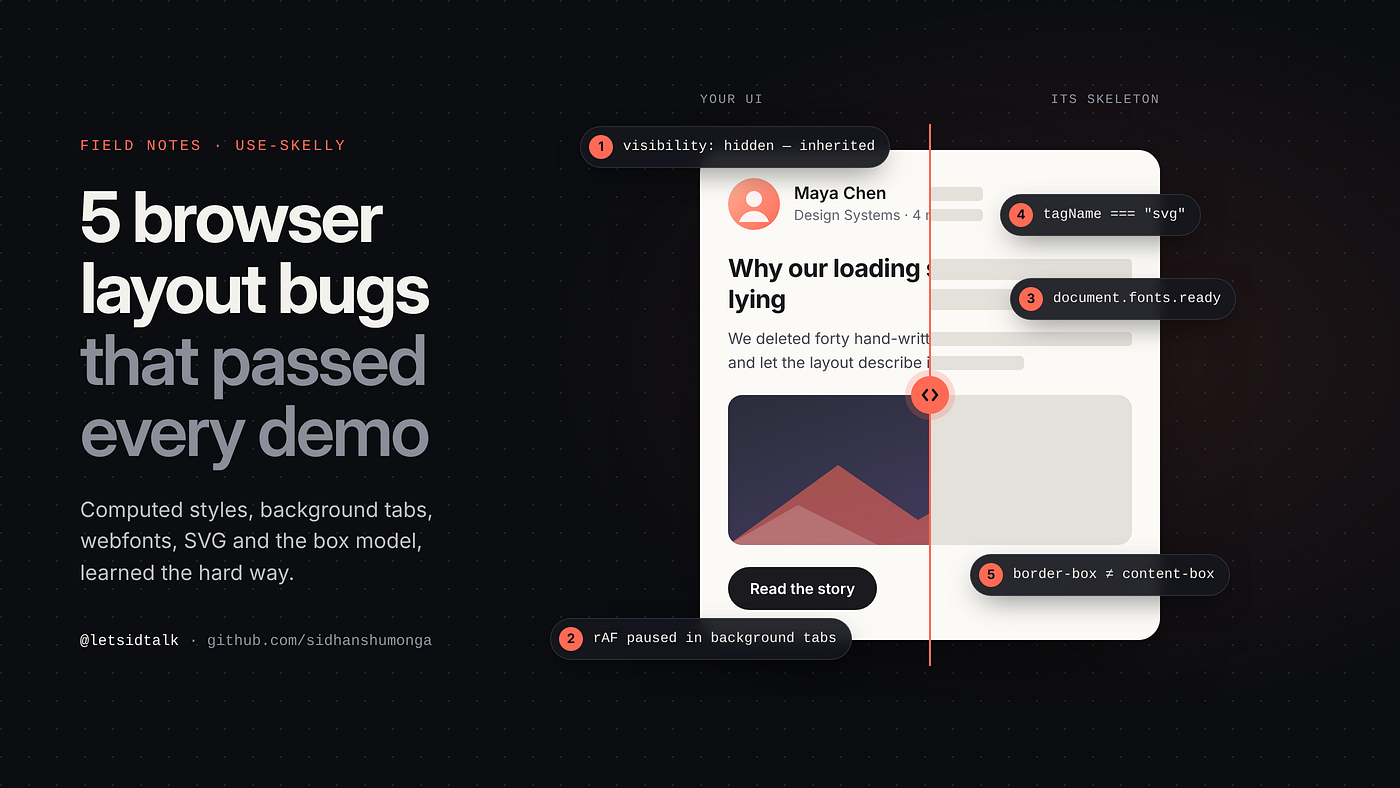
I recently built use-skelly, a small library that generates skeleton loading screens by measuring your real DOM instead of making you hand-write grey divs. The core idea took an afternoon: walk the element tree, call getBoundingClientRect() on everything, draw a shimmering box where each element is. The demo looked great. Then I used it in real apps, and spent the next few weeks learning how much the browser's layout model doesn't tell you up front.
Here are five bugs from that process. None of them is specific to skeletons. If you ever write code that reads layout, such as tooltips, popovers, virtual lists, drag-and-drop, or measuring text, you'll probably hit at least one of them.
1. visibility: hidden is inherited, and it hid my entire tree
To show a skeleton, use-skelly hides the real content while keeping its space. That means visibility: hidden, not display: none, because the hidden elements still need to take up room. The tree walker also needs to skip anything the author deliberately hid, so it had an obvious guard:
const style = getComputedStyle(el);
if (style.display === "none" || style.visibility === "hidden") {
  return; // author hid this, don't draw it
}
That looks reasonable, but it broke nested skeletons and re-measuring: both came out completely blank. The cause is that visibility is an inherited property. Once the library set visibility: hidden on a container's children, every descendant's computed style also reported hidden. The guard couldn't tell "the author hid this" apart from "I just hid this myself", so it skipped every element and measured nothing.
The fix: make the library's own hiding identifiable. While a skeleton is mounted, the container gets a marker attribute. Inside a marked subtree, elements are measured on their geometry alone:
element.setAttribute("data-skelly-hiding", "true");

// in the walker
const insideHidingHost = hiddenByHost || el.hasAttribute("data-skelly-hiding");
if (style.visibility === "hidden" && !insideHidingHost) {
  return; // only skip things the author hid
}
The lesson: computed style tells you the result, not the cause. If your own code can change a property you later read, you need a way to tell your change apart from everyone else's.
2. requestAnimationFrame never fires in a background tab
use-skelly has a "learning" feature: after real content renders, it measures the layout and stores it, so the next load can show an accurate skeleton right away. My first version waited for a frame before measuring, which felt like the safe way to "let layout settle":
useEffect(() => {
  if (loading) return;
  requestAnimationFrame(() => {
    learnLayout(ref.current, options);
  });
}, [loading]);
It worked every time I tested it. In real usage, though, some layouts were never learned. The reason is that browsers don't schedule animation frames for hidden tabs. If you open a link in a background tab, the page loads, data arrives and React renders, but the rAF callback just sits in a queue. If the tab is closed before it's viewed, nothing is learned at all.
The fix: don't defer. When a React effect runs, the DOM has already been committed, and reading geometry forces the browser to compute layout synchronously anyway. The "wait a frame" step wasn't buying anything:
useEffect(() => {
  if (loading || !ref.current) return;
  // Layout is committed. Reading geometry forces it. Measure now.
  learnLayout(ref.current, options);
}, [loading]);
The lesson: requestAnimationFrame is a painting primitive, not a "later" primitive. If your logic must eventually run, don't tie it to frames that may never come. (setTimeout in background tabs gets throttled too, just less severely.)
3. Webfonts change your layout after you measure it
Fixing bug #2 surfaced the next one. Measuring right away meant measuring before custom fonts had loaded. With the fallback font, a heading wraps onto two lines. With Inter or your brand font, which are often narrower or wider, it fits on one. Text heights, line counts and widths all change when the font swaps in, so the stored skeleton described a layout that existed for only about 200 milliseconds.
The fix: take a second reading once fonts are ready. document.fonts.ready is a promise that resolves when pending font loads finish, and unlike rAF it resolves in background tabs too:
learnLayout(el, options);

let cancelled = false;
if (document.fonts && document.fonts.status !== "loaded") {
  document.fonts.ready.then(() => {
    if (!cancelled && el.isConnected) learnLayout(el, options);
  });
}
return () => { cancelled = true; };
Note the el.isConnected check: by the time fonts load, the component may already have unmounted.
The lesson: "layout is done" is not a single moment. Fonts, images without dimensions, and lazy-loaded content can all shift things later. If you cache a measurement, decide which of those events should refresh it.
4. tagName is uppercase… except when it isn't
To decide whether an element is an image (drawn as a solid block that keeps its border radius) or text (drawn as lines), the original check was:
const isImage = el.tagName === "IMG" || el.tagName === "SVG";
Icons and illustrations kept rendering as tiny text lines instead of blocks. It turns out tagName is uppercase only for HTML elements in an HTML document. Inline <svg> lives in the SVG namespace, and its tagName is lowercase "svg". The comparison could never be true.
document.createElement("img").tagName; // "IMG"
document.createElementNS("http://www.w3.org/2000/svg", "svg").tagName; // "svg"
The fix: normalise, and make the list explicit while you're there. Video, canvas, picture and iframe were also missing:
const MEDIA_TAGS = new Set(["img", "svg", "video", "canvas", "picture", "iframe"]);
const tag = el.tagName.toLowerCase();
if (MEDIA_TAGS.has(tag) || hasImageSource) { /* draw as media */ }
A related bug: the same check treated any background-image as media. Tailwind's bg-gradient-to-r sets background-image: linear-gradient(…), so every gradient wrapper became a giant grey "photo". Now only a real url(…) counts as an image source.
The lesson: always toLowerCase() before comparing tagName, or use el.localName, which is already lowercase. Mixed HTML and SVG trees are everywhere now that icon systems ship inline SVG.
5. getBoundingClientRect() always returns the border box
For text, the library estimates how many lines an element contains:
const rect = el.getBoundingClientRect();
const lineCount = Math.round(rect.height / lineHeight);
On a paragraph that works fine. On a button with padding: 12px 20px and a 20px line height, the rect is 44px tall, which gives two lines. Chips, badges and padded labels were all drawn as multi-line text blocks, one bar per padding band.
getBoundingClientRect() returns the border box: content plus padding plus border. It does that no matter what box-sizing is set to. box-sizing changes how width and height are interpreted when you set them, not what this method reports.
The fix: compute the content box yourself:
function getContentBox(el, style, x, y, w, h) {
  const top = parseFloat(style.paddingTop) + parseFloat(style.borderTopWidth);
  const bottom = parseFloat(style.paddingBottom) + parseFloat(style.borderBottomWidth);
  const left = parseFloat(style.paddingLeft) + parseFloat(style.borderLeftWidth);
  const right = parseFloat(style.paddingRight) + parseFloat(style.borderRightWidth);

  return {
    x: x + left,
    y: y + top,
    w: Math.max(0, w - left - right),
    h: Math.max(0, h - top - bottom),
  };
}
Now the button gives one line, centred where the text actually sits.
The lesson: know which box you're measuring. getBoundingClientRect() gives the border box (with transforms applied), clientWidth/Height gives content plus padding, and offsetWidth/Height gives the border box without transforms. Text lives in the content box, and you'll need computed styles to get it.
Bonus: Math.random() made my output untestable
Real paragraphs end with a short last line, so skeletons look more natural when the last bar is 60–90% wide. I used Math.random() for that. As a result, every measurement of the same markup produced a slightly different skeleton, so snapshot tests failed randomly and server output never matched between builds.
The fix was a tiny deterministic hash (FNV-1a) of the element's position in the tree, used as the "random" seed:
function hashString(input: string): number {
  let h = 2166136261;
  for (let i = 0; i < input.length; i++) {
    h ^= input.charCodeAt(i);
    h = Math.imul(h, 16777619);
  }
  return h >>> 0;
}

const ragged = 0.6 + (hashString(`${path}#${line}`) / 2 ** 32) * 0.3;
The bars still look varied, and the same markup always gives the same output.
Why none of this showed up in tests
My unit tests were green the whole time, because jsdom has no layout engine. Every element reports a zero-sized box, getComputedStyle returns mostly defaults, and fonts don't exist. Any bug about real geometry is invisible there.
use-skelly now has a browser regression suite: a plain HTML page served locally (npm run test:browser). It runs assertions against real layout and publishes a machine-readable result on window.__skellyRegression, so it can be automated with any headless browser. It covers every bug above. If your code reads layout, test it in a real browser. There isn't a shortcut.
Wrapping up
The idea behind use-skelly fits in one sentence. Making it feel right meant working through how the browser actually computes layout:
- Computed styles inherit, so mark your own changes.
rAFdoesn't run in background tabs, so don't use it as "later".- Fonts reflow after first paint, so re-measure on
document.fonts.ready. - SVG
tagNameis lowercase, so normalise it. getBoundingClientRect()is always the border box, so compute the content box yourself.
If you'd like skeleton screens that are measured from your real UI instead of hand-written, and that update themselves when your components change, give it a look:
- ⭐ GitHub: github.com/sidhanshumonga/use-skelly
- 📦 npm:
npm install use-skelly - 📚 Docs and live demo: useskelly.dev
It's MIT-licensed, has zero dependencies, is about 4 kB gzipped, and works with React, Next.js, Vue, Svelte and vanilla JS. If you've hit a layout bug I haven't, I'd love to hear about it as an issue.
I also post short videos about UX engineering on Instagram at @letsidtalk.
